Best Real Cities to Build in Minecraft (2026)
Twelve real cities that look great when you turn their map data into a Minecraft world.
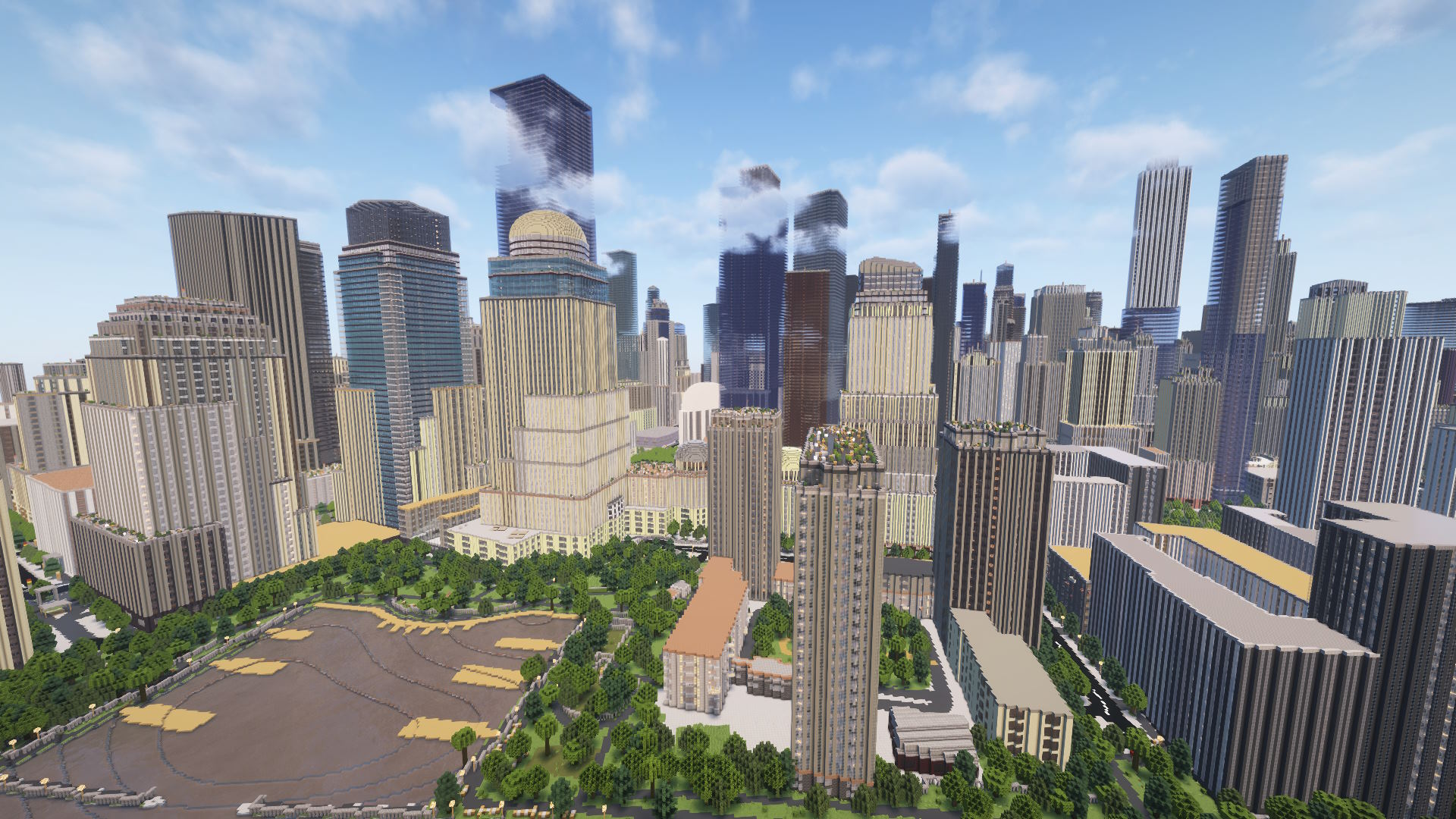
Building a city in Minecraft by hand takes weeks. Generating a real one from map data takes minutes. Arnis reads OpenStreetMap and turns building footprints, roads, parks, bridges, and waterways into a playable world, so the result actually looks like the place it came from.
Some cities translate better than others. The ones that shine tend to have two things going for them: a recognizable shape (a packed downtown grid, a famous bridge, a skyline you would know from a postcard) and good map data, which means individual building outlines and, ideally, building heights filled in on OpenStreetMap. When both line up, you get a world you can recognize from the air.
Here are twelve real cities worth generating, with a note on what makes each one work and which edition or area size to keep in mind. None of these landmarks are invented; they are the real features that show up when the data is there.
New York City, USA
The obvious pick, and it earns it. Lower and Midtown Manhattan are mapped in serious detail, so you get the tight street grid, Central Park as a clean green rectangle, and a forest of tall buildings packed shoulder to shoulder. The Empire State Building, the bridges across the East River, and the piers along the Hudson all read clearly. A 1 to 2 km slice of Midtown gives you the dense skyline; the whole island is a much bigger generate.
Chicago, USA
Chicago's downtown, The Loop, is a near-perfect Minecraft subject: a compact grid of tall towers wrapped by the river, with the lakefront on one side. The skyscraper cluster gives you real vertical drama, and the elevated rail lines and bridges over the Chicago River add structure that you can walk. Keep the selection tight around The Loop and the river bends for the cleanest result.
London, UK
London is one of the most-mapped cities anywhere, so the detail holds up across a wide area. The Thames cuts through the middle, and the bridges, the Houses of Parliament, and the dense Westminster and City of London streets all come through. The layout is older and more tangled than a US grid, which gives you winding streets and irregular blocks instead of neat squares. Pick a stretch along the river to get the most landmarks in one selection.
Paris, France
Paris has strong building data and a very particular look: long Haussmann boulevards, uniform block heights, and the Seine threading through it all with its many bridges. The radiating avenues around major squares make for interesting street patterns in blocks. Because so many buildings sit at a similar height, the city reads as a smooth, even fabric rather than a spiky skyline, which is its own kind of impressive from above.
Hong Kong
Hong Kong has more skyscrapers than any city on Earth, and it shows. The towers crowd right up to the harbor, packed densely along Victoria Harbour with the water on one side and steep hills behind. If you want maximum vertical density in a small footprint, this is the one. A compact selection across the harbor front gives you the classic wall-of-towers view that the city is known for.
Tokyo, Japan
Tokyo is enormous and well mapped, with detailed building data in the central wards. Districts like Shinjuku and Shibuya bring tall clusters, while the surrounding areas fill in with the endless fine-grained streets the city is famous for. Because Tokyo sprawls, a small selection over one district gives a more legible world than trying to grab a huge area at once. The rail lines and elevated tracks add a lot of recognizable structure.
Singapore
Singapore's Marina Bay area is one of the most distinctive waterfronts in the world, and the modern downtown sits right on the water with a clear cluster of towers. The reclaimed land and bay edge give you a sharp boundary between built-up city and open water, which always looks good in Minecraft. Keep the area centered on the downtown core and bay for the best mix of skyline and shoreline.
Dubai, UAE
Dubai is the place to go for sheer height. The Burj Khalifa, the tallest building in the world, towers over the surrounding downtown, and the wide modern boulevards and large building footprints translate cleanly into blocks. The contrast between the very tall towers and the open, sandy ground around them makes for a dramatic generate. Center your selection on Downtown Dubai to catch the Burj and its neighbors.
Sydney, Australia
Few skylines are as instantly recognizable as Sydney's, and a lot of that comes down to the harbor. The Sydney Harbour Bridge generates as a real steel span you can walk across, the Opera House sits on its point, and the central business district towers cluster just behind. This is a city where the water and the bridge do as much work as the buildings. Frame the selection around Sydney Harbour to get all three in one world.
San Francisco, USA
San Francisco gives you a downtown grid laid over hills, with water on multiple sides and the Golden Gate and Bay bridges nearby. The Transamerica Pyramid and the Financial District towers anchor the skyline, and the terrain elevation means the streets actually rise and fall the way they do in real life. Generating the bridges takes a wider selection, so decide up front whether you want the downtown alone or the spans included.
Barcelona, Spain
Barcelona is the grid lover's pick. The Eixample district is a famous, perfectly regular grid of octagonal blocks with chamfered corners, and it comes out beautifully ordered in Minecraft. The Sagrada Familia and the dense, even building heights give the city a calm, uniform texture. If you like a tidy, walkable layout rather than a spiky skyline, start here. The whole Eixample fits comfortably in a medium selection.
Amsterdam, Netherlands
The Netherlands has some of the best building data anywhere, and Amsterdam's old center is a treat because of the canals. The semicircular canal rings, the narrow tall houses lined up along the water, and the many small bridges give you a world that is dense, low, and full of detail rather than tall. It is the opposite of a skyscraper city and all the more charming for it. A small selection over the canal belt captures the whole shape.
Frequently asked questions
How do I know if a city will look good before I generate it?
Open the city on openstreetmap.org and zoom in. If you can see individual building outlines, it will translate well into Minecraft. Cities where building heights are filled in produce the most accurate skylines. Major cities almost always have the best data.
What area size should I pick for a city?
For a recognizable downtown, something around 1 to 2 km across usually works well. Larger areas take longer to generate and spread the landmarks farther apart. If a city sprawls, like Tokyo, a smaller selection over one district reads more clearly than a huge area.
Can I play these on Bedrock Edition?
Yes. Both MapSmith and the desktop app can output a .mcworld file for Bedrock Edition, which works on phones, tablets, consoles, and Windows 10/11. You can also generate for Java Edition if you prefer.
Make your own city
Pick any of these, or your own hometown, and turn it into a Minecraft world. Generate it online with MapSmith, or download the free Arnis desktop app and run it yourself.
Use MapSmith Online Download Arnis (desktop)