How to Generate Minecraft Worlds from Real Locations
Turn your hometown, favorite city, or any place on Earth into a playable Minecraft world.
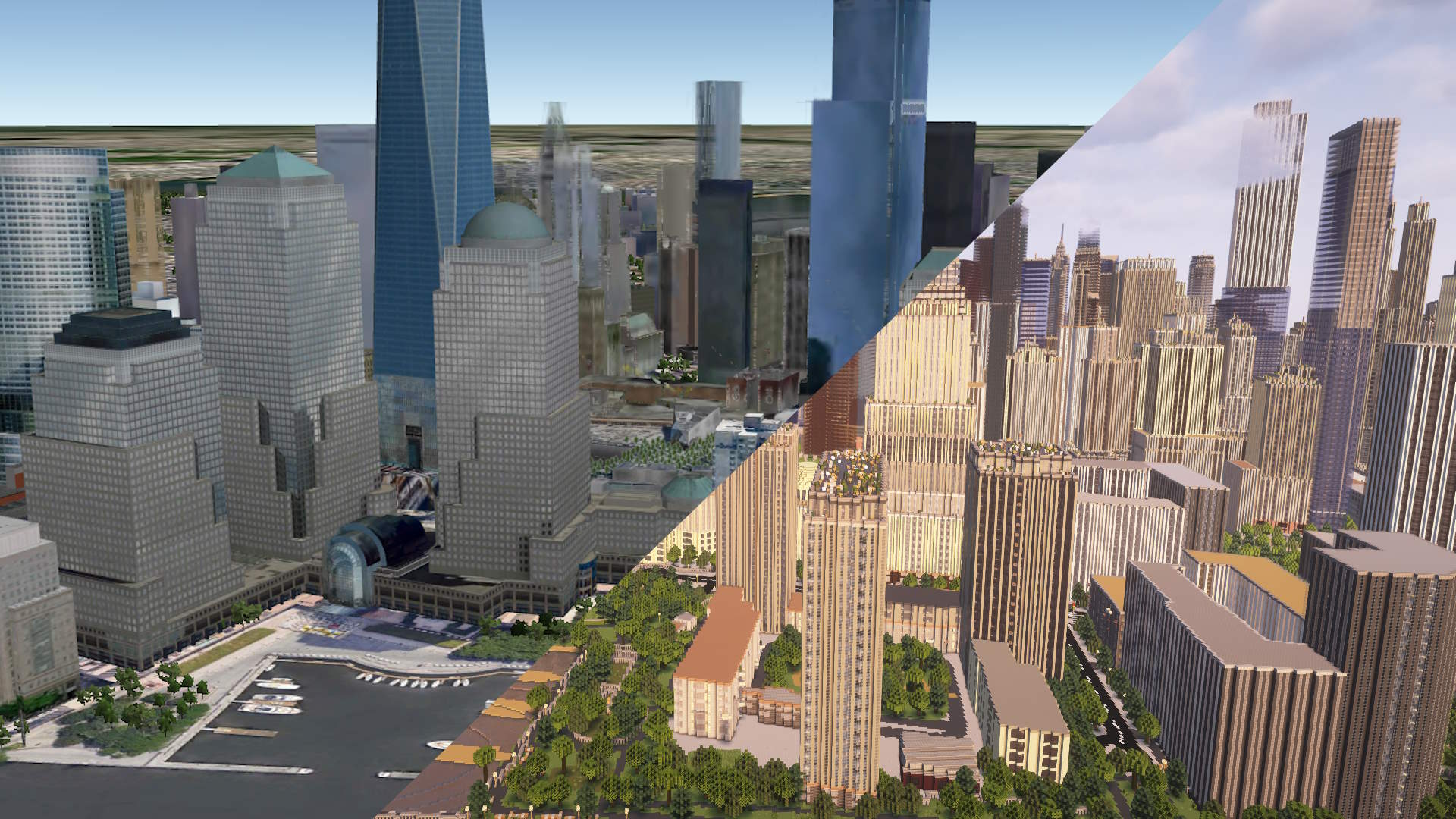
Ever wanted to walk through your neighborhood in Minecraft? Or explore a famous city block by block? Arnis is a free, open-source tool that does exactly that. It pulls real map data from OpenStreetMap and builds a Minecraft world out of it, complete with buildings, roads, water, terrain, and vegetation.
It works with both Java Edition and Bedrock Edition, so you can play on PC, console, or mobile. There are two ways to use it: download the desktop app (free), or use the online generator called MapSmith if you don't want to install anything.
What you get
Arnis generates worlds that include:
- Buildings with correct footprints and heights
- Roads, sidewalks, and paths
- Rivers, lakes, and coastlines
- Terrain elevation (hills, valleys, mountains)
- Parks, forests, and other land use
- Bridges, railways, and other infrastructure
The level of detail depends on how well the area is mapped on OpenStreetMap. Major cities tend to have excellent coverage. Smaller towns still work, but some buildings might be missing if nobody has mapped them yet.
Option 1: Download Arnis
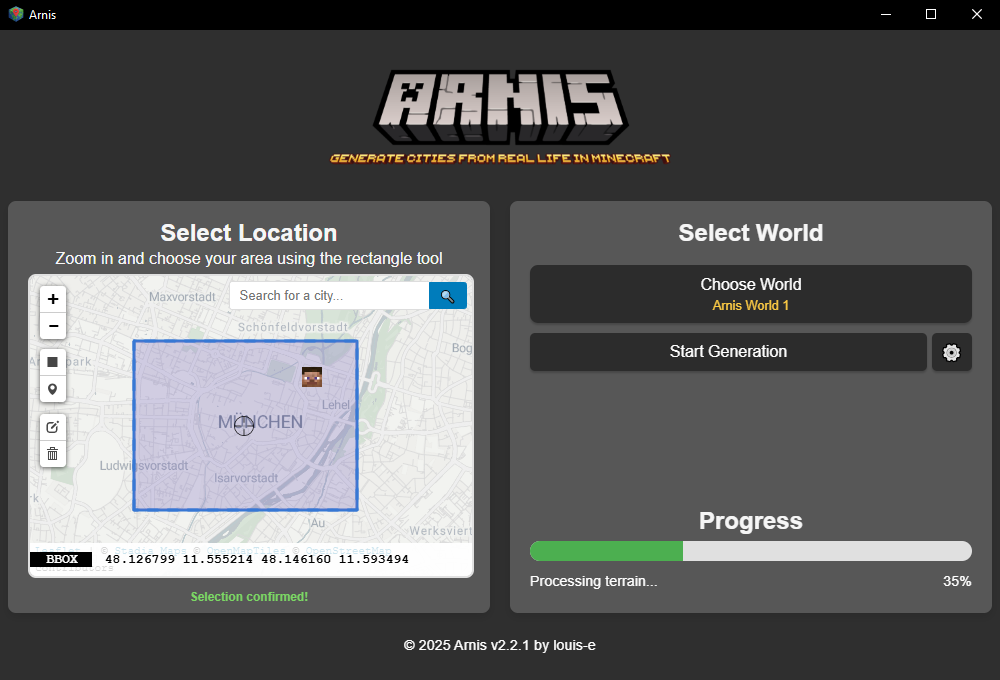
The desktop app runs on Windows, macOS, and Linux. Here is how to get started:
- Go to the GitHub releases page and download the latest version for your operating system.
- Open the app. You will see a map where you can navigate to any location.
- Draw a rectangle around the area you want to generate.
- Choose between Java Edition and Bedrock Edition.
- Click Generate and wait. A small neighborhood takes a few seconds, a large city center can take several minutes.
- Open Minecraft. Your generated world shows up in the world list as "Arnis World".
The app saves Java worlds directly to your Minecraft saves folder. For Bedrock, it creates a .mcworld file you can open on any device that runs Bedrock Edition.
Option 2: Use MapSmith (online, no install)
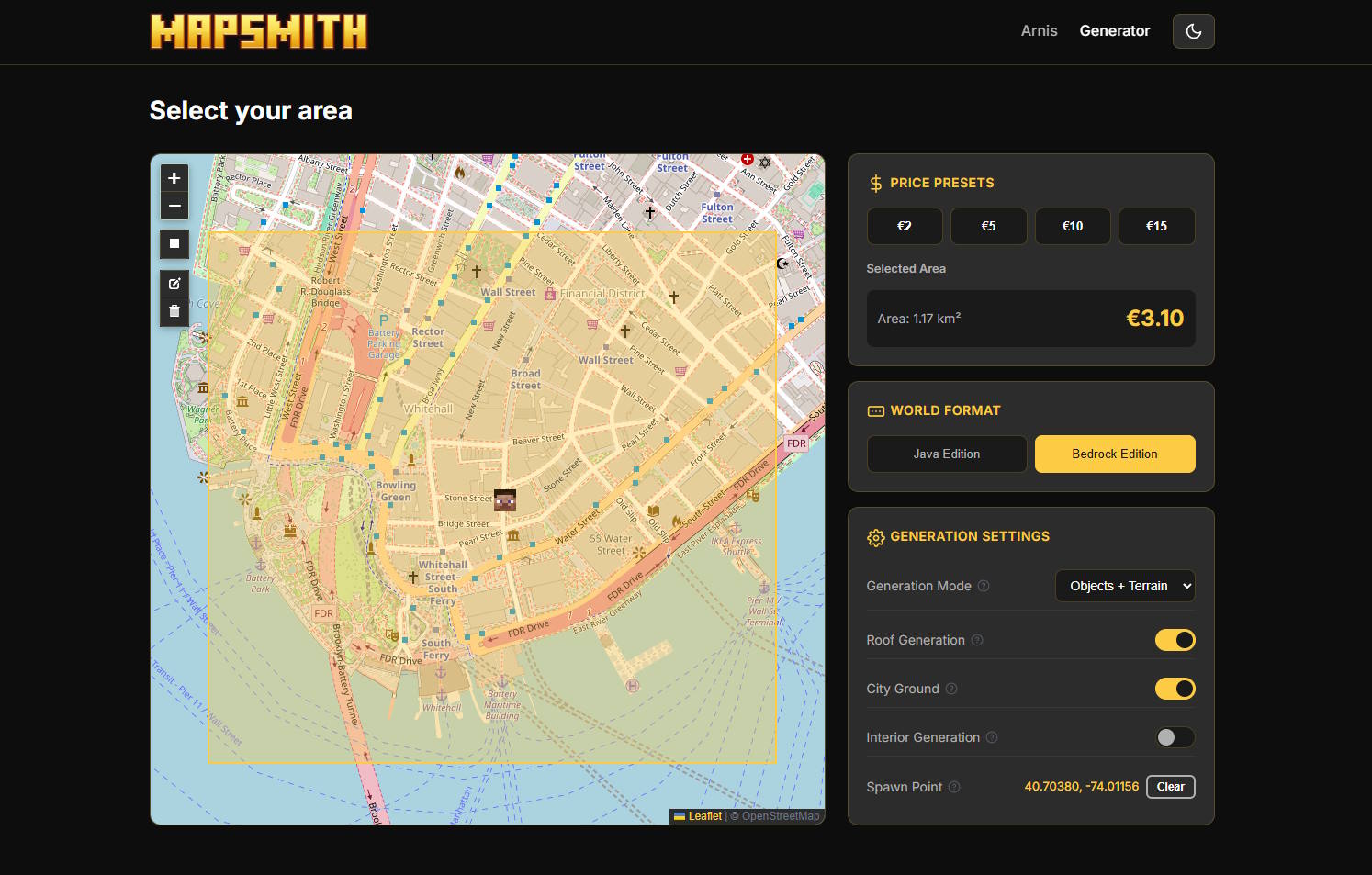
If you don't want to install anything, or you are on a phone or tablet, MapSmith lets you generate worlds right from your browser.
- Open MapSmith on any device.
- Select an area on the map.
- Pick a size preset and choose your Minecraft edition.
- Complete the checkout (prices start at 3 EUR for small areas).
- Your world is generated on the server and you get a download link by email.
MapSmith is especially useful for Bedrock and mobile players who can't easily run desktop software. It handles all the heavy lifting on the server side.
Tips for the best results
- Start small. Try a few blocks first to get a feel for the output before generating a whole city.
- Check OpenStreetMap first. If your area looks detailed on openstreetmap.org, it will look great in Minecraft too.
- Well-mapped cities work best. Major European and North American cities tend to have excellent building data.
- Bedrock for mobile. If you want to play on your phone or tablet, choose Bedrock Edition and transfer the .mcworld file.
What is the difference between Java and Bedrock?
Minecraft comes in two main editions. Java Edition is the original PC version, mostly used by experienced players and modders. Bedrock Edition runs on Windows 10/11, Xbox, PlayStation, Nintendo Switch, iOS, and Android. When generating a world with Arnis, you pick which edition you want and the output format is different:
- Java Edition: Generates a world save folder. Drop it into your
.minecraft/savesdirectory. - Bedrock Edition: Generates a
.mcworldfile. Double-click or tap it to import directly into Minecraft.
Ready to try it?
Generate your first real-world Minecraft map in minutes.
Download Arnis Use MapSmith Online