Minecraft City Generator
Turn any real city into a Minecraft world, block by block.
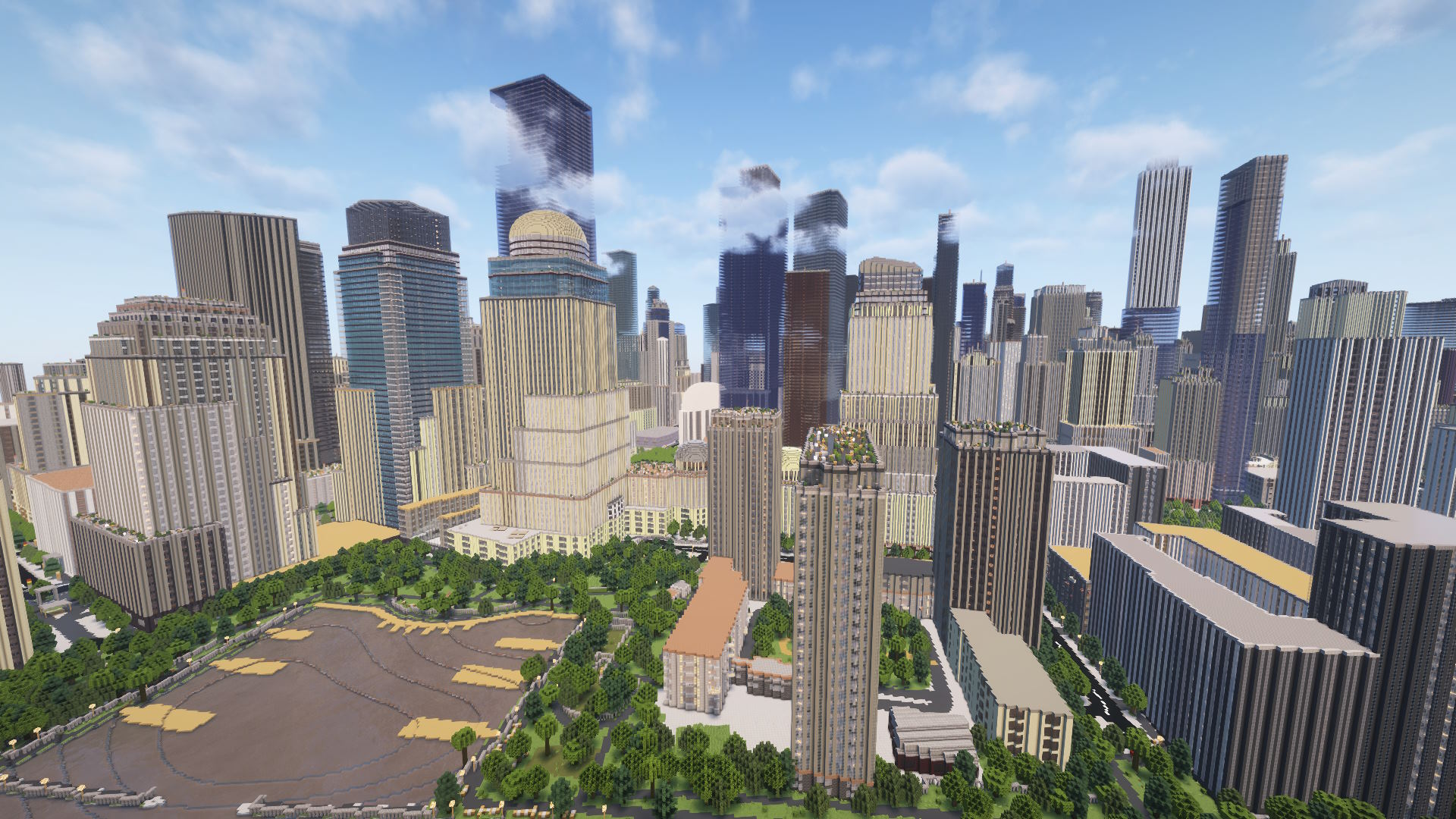
Building a city in Minecraft from scratch can take weeks or months. With Arnis, you can generate one in minutes. The tool reads real map data from OpenStreetMap and turns it into actual Minecraft buildings, roads, parks, and waterways. It is not a rough approximation either. Buildings get their real footprints and heights, streets follow proper layouts, and even things like bridges and railways show up.
What cities look like in Minecraft
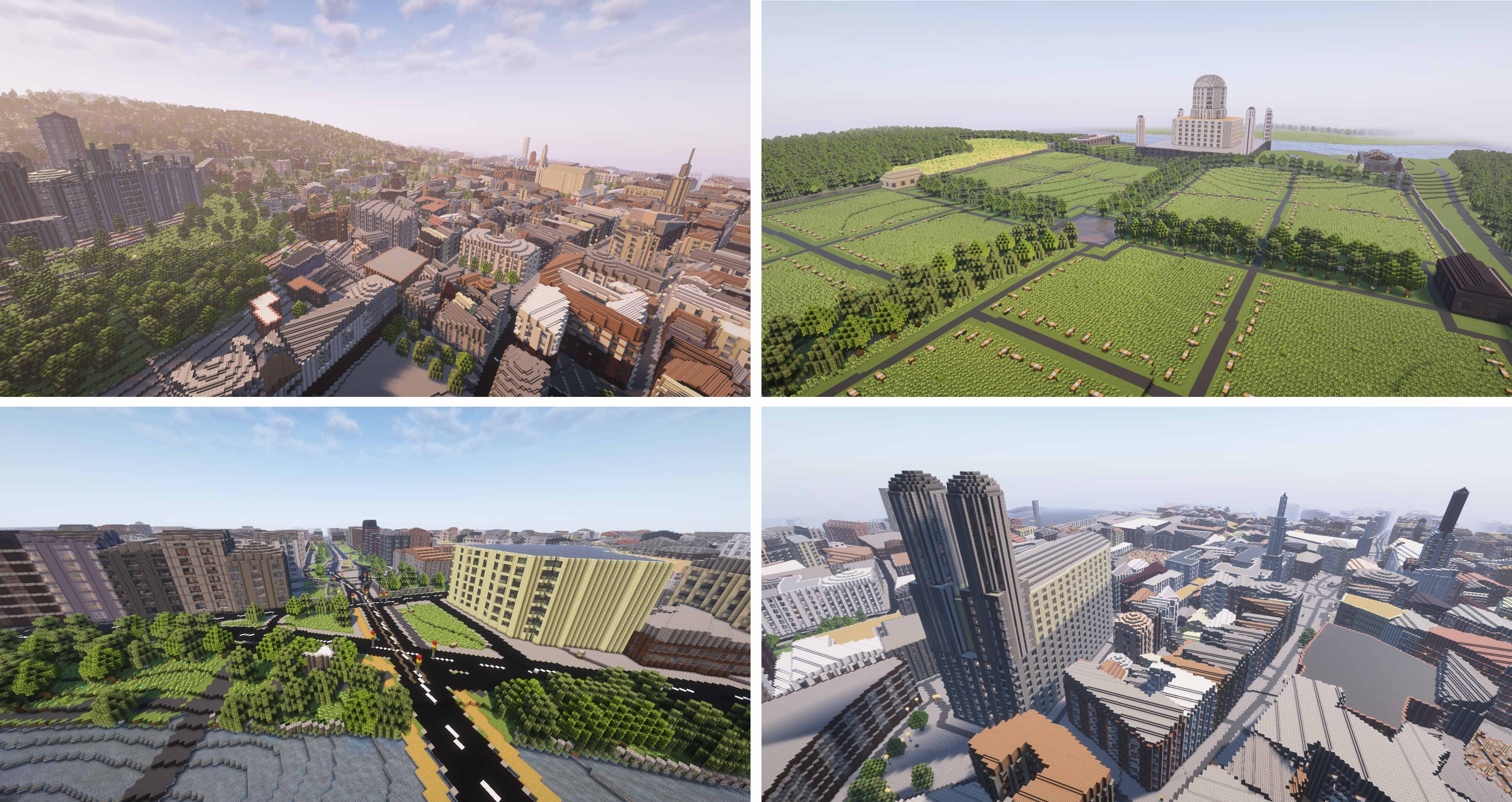
Every city comes out differently depending on its real-world layout. Dense urban areas like Manhattan produce impressive skylines with tall buildings packed together. European cities like Heidelberg or Amsterdam have narrower streets and more varied architecture. Coastal cities include waterfronts, harbors, and beaches.
Here are some types of areas that work especially well:
- Downtown cores with tall buildings and a clear grid layout
- Historic city centers with detailed building footprints on OpenStreetMap
- University campuses with large distinct buildings and open spaces
- Coastal areas where land meets water for dramatic views
- Small town centers for a cozy, walkable Minecraft experience
How to generate a city
There are two ways to do it. Both produce the same quality output.
Using MapSmith (online)
On a phone or tablet, or simply don't want to install anything? Generate your city straight in the browser.
- Open MapSmith in your browser.
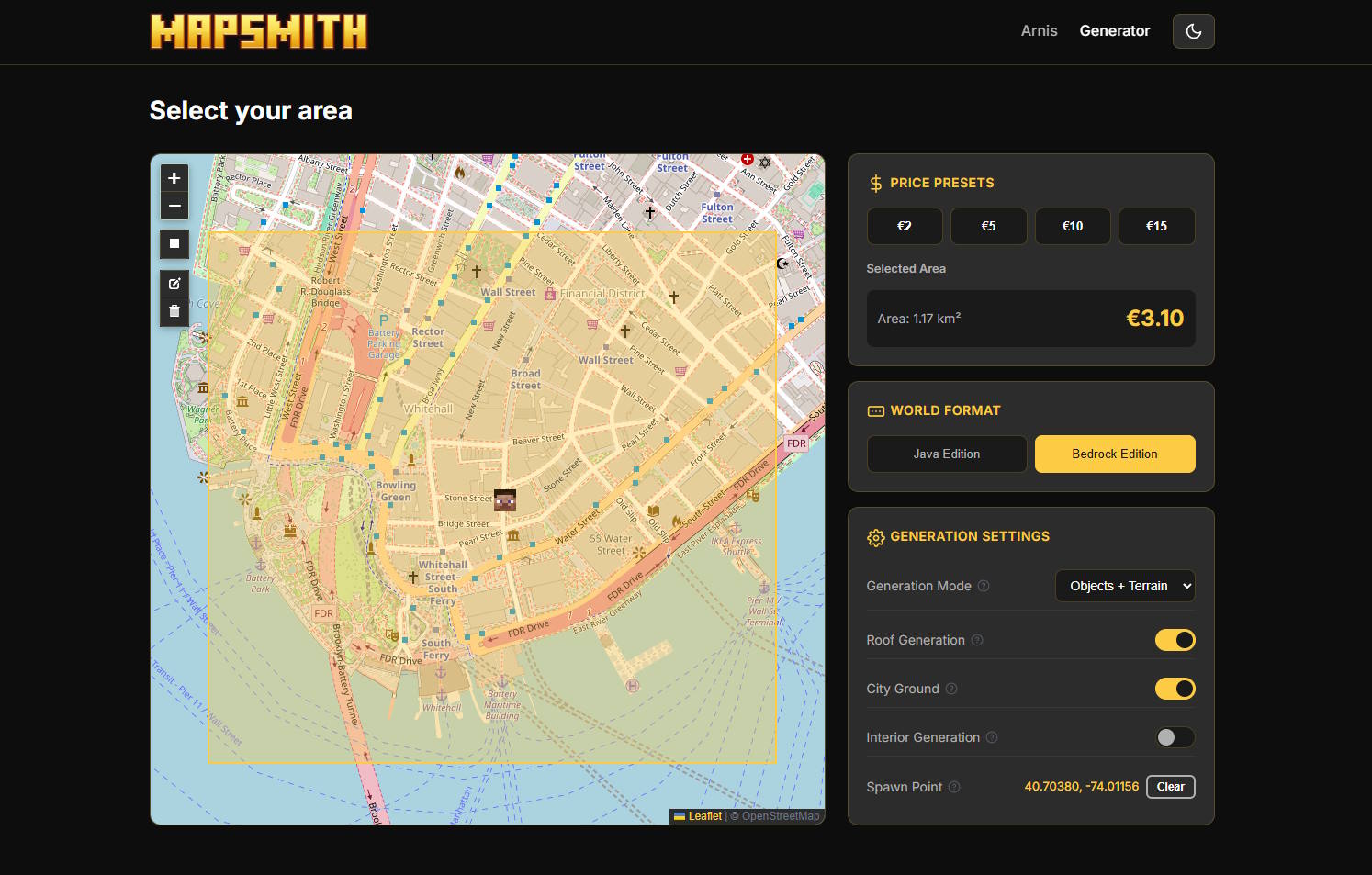
- Find your city on the map and select the area.
- Choose a preset size and edition.
- Complete checkout (starting at 3 EUR) and get your download link by email.
Using the desktop app (free)
On a Windows, macOS, or Linux computer you can run the open-source desktop app yourself.
- Download Arnis for Windows, macOS, or Linux.
- Open the app and navigate to the city you want.
- Draw a selection around the area. For a city center, something like 1-2 km across works well.
- Pick Java or Bedrock Edition.
- Click Generate and wait. A dense city block might take 1-2 minutes.
Tips for generating cities
- Check the OpenStreetMap data first. Zoom into your city on openstreetmap.org. If you can see individual building outlines, it will look great in Minecraft.
- Start with a small section. Generate a few blocks to see how it looks before going bigger.
- Major cities have the best data. New York, London, Berlin, Tokyo, and similar places have very detailed maps with individual building heights.
- Smaller is not worse. A compact neighborhood can be more fun to explore than a massive area where everything is spread out.
- Use Bedrock for sharing. If you want to play with friends on different platforms, choose Bedrock Edition. The .mcworld file works on all Bedrock devices.
What about smaller towns?
Arnis works with any location, not just big cities. Smaller towns often have a different charm. The buildings are lower, streets are quieter, and you might recognize your own house or school. The results depend on how well the area is mapped. In many European countries, even small villages have good building data on OpenStreetMap.
Generate your city now
Pick any place on Earth and turn it into a Minecraft world.
Use MapSmith Online Download Arnis (desktop)